Is your PS4 Pro noisy, with the fan spinning at high speed after only a few minutes of use? Or does the console seem to run hotter than normal?

In many cases, the problem is caused by dust buildup in the fan and heatsink or by dried-out CPU thermal paste. On ValorosoIT, I have already published three detailed tutorials covering disassembly, maintenance, and reassembly of the Sony PlayStation 4 Pro.
This guide brings the entire procedure together, showing how to thoroughly clean the PS4 Pro and reduce noise and operating temperature.
Why the PS4 Pro Gets Noisy
The PlayStation 4 Pro uses a fan to move air through the CPU heatsink. Over time, dust and debris can build up between the heatsink fins and restrict airflow.
The fan then has to spin faster to keep temperatures under control, making the PS4 Pro much noisier.

Another important factor is the thermal paste between the CPU, more precisely the APU, and the heatsink. Over the years, it can dry out and become less effective at transferring heat.
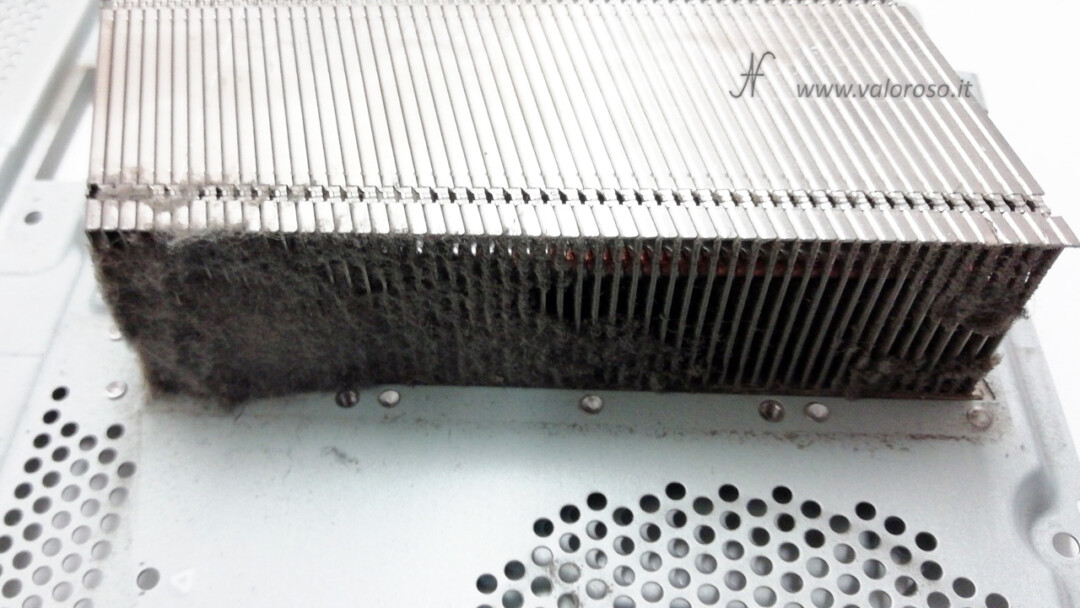
When servicing my PS4 Pro, I found a large amount of dust in the heatsink and thermal paste that had dried out.
Noisy PS4 Pro: Where to Start
The complete maintenance procedure can be divided into three stages:
- disassembling the PlayStation 4 Pro;
- cleaning the interior, fan, and heatsink, and replacing the thermal paste;
- reassembling the console.
I have dedicated a detailed tutorial to each stage, with photographs showing the individual steps.

1. How to Disassemble the PS4 Pro
To reach the fan, heatsink, and CPU, the console must be almost completely disassembled.
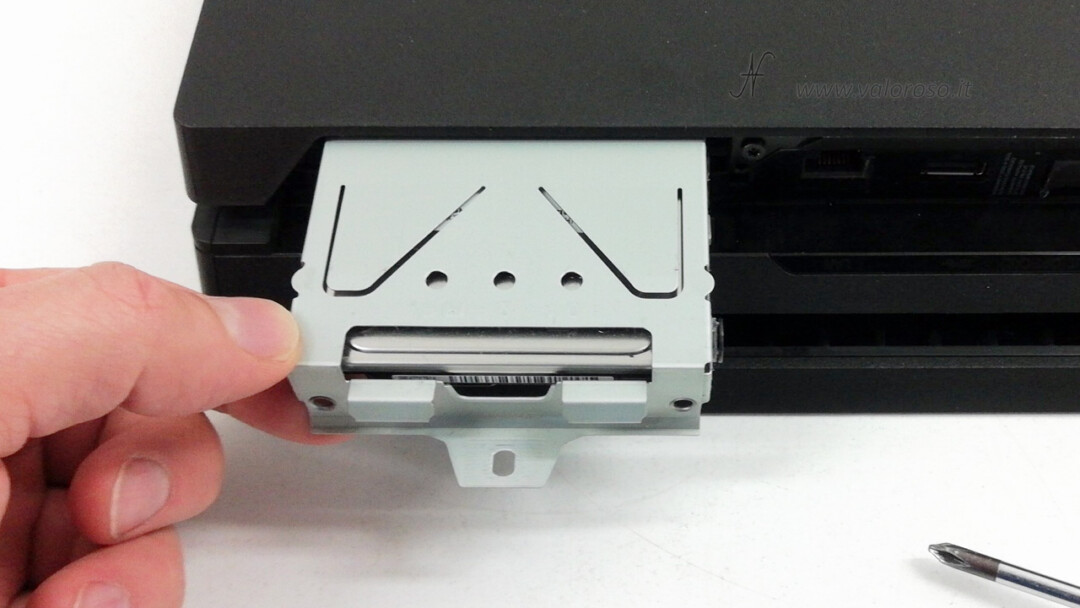
You need to remove the hard drive, plastic panels, metal shields, power supply, and motherboard, paying particular attention to the ribbon cables, connectors, and small coaxial cables.
Before starting, always disconnect the console completely from the power supply. Keep the screws separated during disassembly, preferably near the component they belong to. The PS4 Pro uses screws of different shapes and lengths. Taking plenty of photos can also help you remember exactly where each component must be reinstalled.
Full tutorial:
How to Disassemble the Sony PlayStation 4 Pro
2. Cleaning the Fan and Heatsink and Replacing the Thermal Paste
Once the PS4 Pro is disassembled, we can perform the actual maintenance.
Clean the fan carefully, removing all dust from the blades. The heatsink must also be cleaned thoroughly so that air can flow freely through all of its fins.
In my case, the heatsink was partially clogged by a substantial buildup of dust.
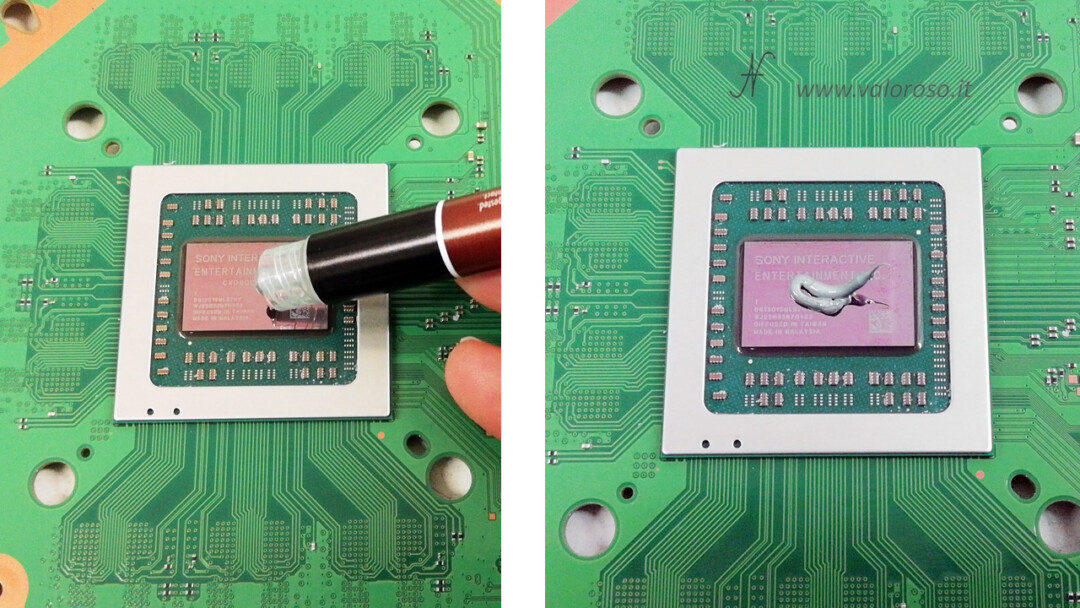
At this stage, we can also remove the old thermal paste from the CPU and heatsink and apply fresh thermal paste.
In the tutorial, I used Noctua NT-H1 thermal paste and took advantage of the complete disassembly to check and replace the CR2032 battery for the internal clock.
Full tutorial:
PS4 Pro Thermal Paste Replacement
Very Noisy Fan or Damaged Fan
Not all fan noises necessarily have the same cause.
If the fan simply produces a loud rushing-air noise, similar to a small jet, a thorough cleaning of the console and cooling system may be enough.
If you hear vibrations, mechanical noise, rattling, or a sound similar to a diesel engine, the fan may be worn or out of alignment and may need to be replaced.
3. How to Reassemble the PlayStation 4 Pro
Once maintenance is complete, the most delicate stage begins: correctly reassembling everything that was removed.
It is important to reinstall the motherboard, thermal pads, metal shields, power supply, cables, and connectors correctly.
Full tutorial:
How to Reassemble the PlayStation 4 Pro
How Long Does It Take to Clean a PS4 Pro?
A complete disassembly, cleaning, thermal paste replacement, and reassembly can take several hours if done carefully.
If you are not comfortable with this type of hands-on work or are not used to working with electronic circuits, carefully consider whether to perform this maintenance yourself.
Before opening the console, I also recommend testing it to make sure everything is working properly before disassembly.
A Quieter PS4 Pro After Maintenance
A very noisy PS4 Pro should not be considered normal. If the heatsink is clogged with dust and the thermal paste has deteriorated, complete maintenance can significantly improve cooling and reduce fan speed.
With the three ValorosoIT tutorials, you can follow the entire procedure from the initial disassembly to the final reassembly of the PlayStation 4 Pro.
Follow me on YouTube, Instagram, TikTok, and Facebook @ValorosoIT for more tutorials, experiments, vintage computers, and technology.